  1. Blog
  2. Article

Canonical
on 3 August 2017

Upgrading your Ubuntu-on-Windows install to the app version


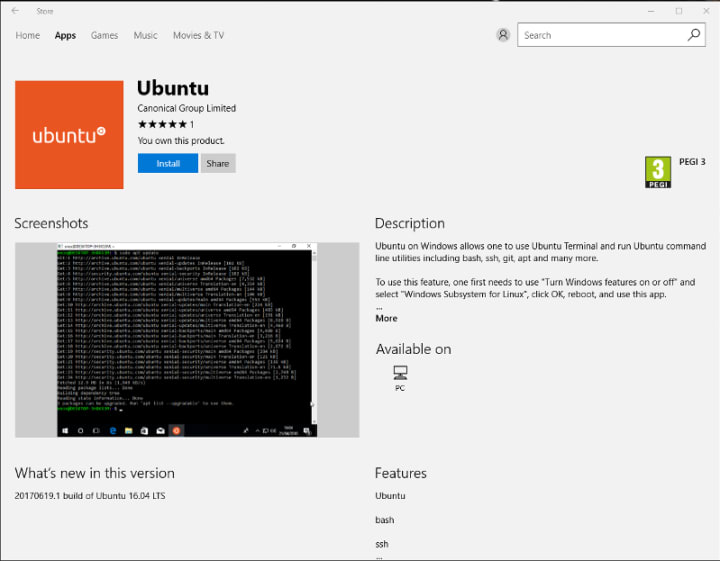
Our team and Microsoft recently released Ubuntu as a Windows app store application! If you toyed with the “bash on Ubuntu on Windows” version before and would like to try the latest and greatest, read on!
Saving your data

If your “bash on ubuntu on windows” environment has some data you’d like to keep, make sure you back it up now. The uninstall process will nuke everything.

Uninstall the old way

This is relatively simple. Opening a command line (cmd.exe) terminal and typing

lxrun /uninstall

will destroy your previous environment.

Installing the new way

To find the app in the Microsoft store, just type “Ubuntu” in the search bar. Click install. Voilà!

Related posts


Keirthana T S
9 April 2026

Intentional leadership at Canonical

People and culture Article

In this article, Keirthana TS, a Senior Technical Author at Canonical, breaks down what leadership means to her and how she understood the power of intentional leadership through her journey at Canonical. ...


Canonical
8 April 2026

Ubuntu Pro comes to Nutanix bare-metal Kubernetes

Canonical announcements Article

Nutanix and Canonical expand partnership to offer more choice for containerized workloads Enterprise Kubernetes® is maturing into a highly flexible, multi-architecture model. As AI/ML and data-intensive workloads continue to demand maximum hardware throughput, organizations are seeking the performance of bare metal without sacrificing the ...


Jon Taylor
7 April 2026

RISC-V 101 – what is it and what does it mean for Canonical?

Ubuntu Article

In this blog I will look at some of the drivers for the growth of RISC-V, its value proposition and explain why supporting RISC-V is important to Canonical. ...